
Extraaaz — Innovative Tech Solutions Pvt. Ltd.
Flagship OS

Extraaaz Restaurant OS

Run your restaurant from one connected system.

POS, kitchen, orders, inventory, delivery and analytics — for single outlets and multi-brand chains.

  • Faster table turnover
  • Zero KOT confusion
  • Recipe-level inventory
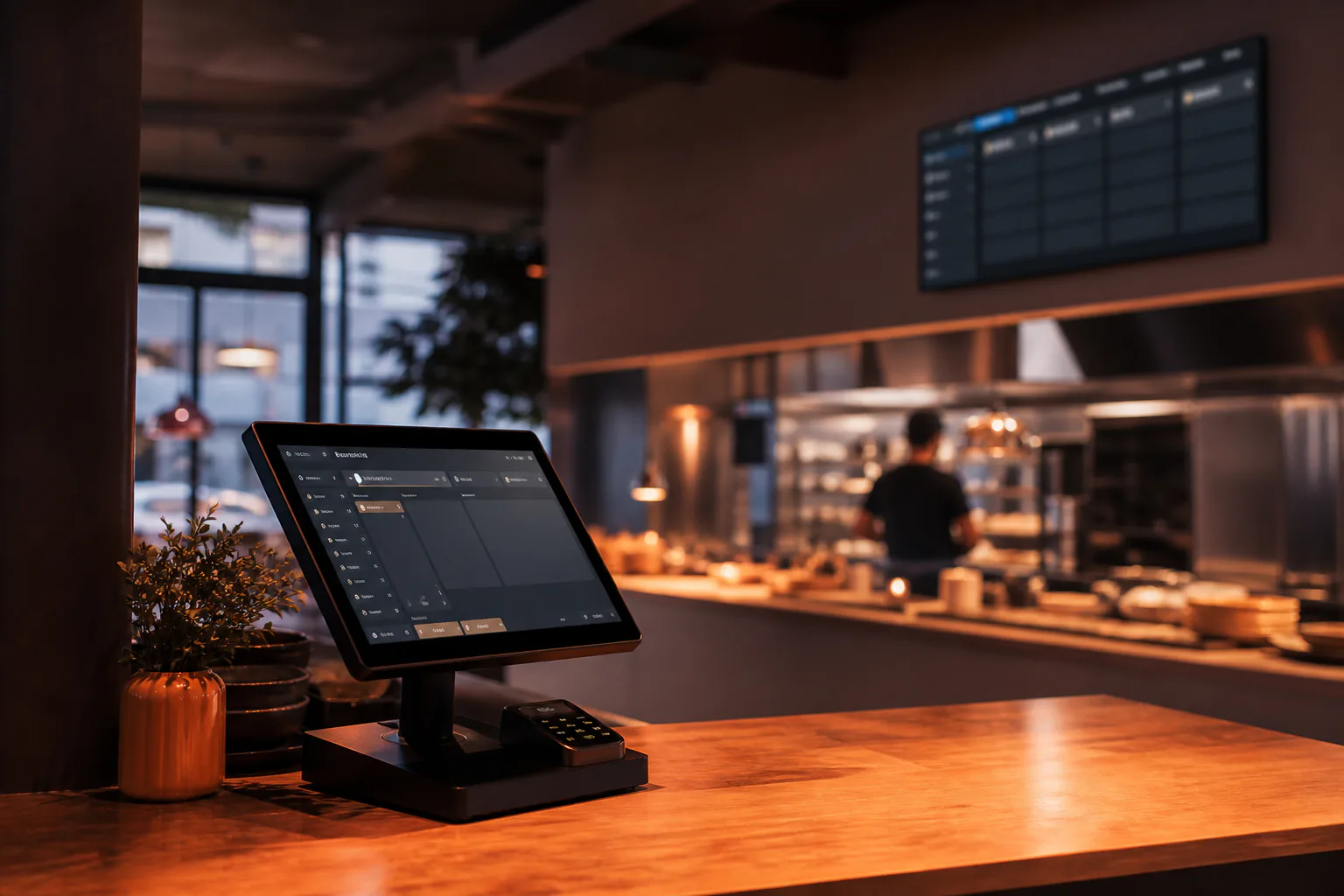
Extraaaz Restaurant OS running on a POS terminal in a modern restaurant with kitchen display in the background
Product Preview
E
EXTRAAAZ
Restaurant OS
Overview
Modules
  • POS & Billing
  • KOT & Kitchen
  • Recipe & Inventory
  • Delivery & Aggregators
  • Analytics
Workspace
Head Office
Search records, people, documents…
AK
Sales Analytics
All outlets · This week
Export report
Net sales
₹9.8L
+11% vs last week
Orders
1,284
+96 vs last week
Avg bill
₹763
+3.2%
Top item share
8.4%
Paneer Tikka
Daily net salesNet sales incl. delivery
₹1.1L
₹1.0L
₹1.2L
₹1.3L
₹1.6L
₹1.9L
₹1.7L
MonTueWedThuFriSatSun
Outlet ranking
  • Bandra₹3.4L
  • Andheri₹2.7L
  • Powai₹2.2L
  • Thane₹1.5L
Modules in daily use

Open Restaurant OS the way your team will.

Each module is a real working area — not a marketing tile. Select one to see the screen, the job it does, and what ships with it.

Product Preview
E
EXTRAAAZ
Restaurant OS
Overview
Modules
  • POS & Billing
  • KOT & Kitchen
  • Recipe & Inventory
  • Delivery & Aggregators
  • Analytics
Workspace
Head Office
Search records, people, documents…
AK
Live Orders
Bandra outlet · Dinner
+ New order
Sales today
₹1.42L
+8% vs last Sunday
Orders
186
112 dine-in
Avg bill
₹764
+₹42 vs avg
Tables occupied
18/24
6 free
Open billsView all
TableStewardItemsAmountStatus
T-04Rahul6 items₹2,340Serving
T-11Priya3 items₹980Bill printed
T-07Amit9 items₹4,120Paid · UPI
Takeaway #58Counter2 items₹460Packing
QR · T-15Self order4 items₹1,290Split bill
Payments today
  • UPI₹68,400
  • Card₹41,200
  • Cash₹22,900
  • Aggregator₹9,700

POS & Billing

Dine-in, takeaway, delivery and QR ordering from a single billing screen.

  • Split & merge bills
  • Multi-payment support
  • GST-ready invoices
  • Table & steward mapping
  • Dine-in, takeaway and QR on one till
  • Holds up when the WAN blinks during a rush
How work moves

The path through Restaurant OS.

Capture → route → run → measure. This is the operating loop your team will live in — not a slide about 'digital transformation'.

  1. 01POS & Billing

    Dine-in, takeaway, delivery and QR ordering from a single billing screen.

  2. 02KOT & Kitchen

    Route orders to the right station, track prep time and control the pass.

  3. 03Recipe & Inventory

    Recipe-based deduction, wastage tracking and vendor purchase orders.

  4. 04Delivery & Aggregators

    Unify Swiggy, Zomato and in-house delivery on one screen.

  5. 05Analytics

    Real-time insight into sales, menu, outlets and staff performance.

Capabilities

What each Restaurant OS module does.

5 modules, one shared record. Start with the one that hurts most and switch on the rest when you are ready.

Built for these businesses

Restaurant OS is configured per format — the screens, masters and reports change with the way you operate.

  • Fine dine / casual
  • QSR / café
  • Cloud kitchen
  • Multi-outlet chain
A day on the system

The same moments, run on Restaurant OS.

Three ordinary situations your team handles every week — how they go today, and how they go once the system is live.

Friday 9 pm: aggregator rush, full floor

Today

The aggregator tablet keeps beeping, a captain rewrites delivery orders onto paper KOTs, and one gets lost between the tandoor and the pass.

With Restaurant OS

Delivery & Aggregators drops platform orders into the same KOT & Kitchen queue as dine-in from POS & Billing, routed by station and tracked on the order status board.

Paneer runs short before dinner service

Today

The chef finds out at 7 pm, calls the vendor in a hurry, and nobody can say how much went into dishes versus the bin.

With Restaurant OS

Recipe & Inventory deducts paneer with every plate billed, shows the shortfall by lunch, and a purchase order or transfer from another outlet goes out before service.

Day close across every outlet

Today

Each manager sends a photo of the day-end report on WhatsApp, and the owner adds it up the next morning.

With Restaurant OS

Analytics shows sales, item mix and peak hours for every outlet as bills close, with outlet comparison ready when the last table settles.

Connects with

Fits into the way your business already runs.

Restaurant OS shares its record with the rest of Extraaaz and hands off cleanly to the tools you keep.

Swiggy & Zomato order intake

Aggregator orders land on the same kitchen board and bill book as dine-in and takeaway.

Kitchen & bill printers

KOTs print at the right station and bills print at the counter from the same order.

GST / e-invoice ready billing

Every bill carries GST details, so the monthly return is built from what was actually sold.

Customer notifications

Order confirmations, bill copies and delivery updates reach guests by WhatsApp, SMS or email.

Business Operations Finance

Outlet sales, purchases and wastage flow into the ledger without a nightly spreadsheet.

Tally / CA hand-off

Export sales and purchase data in a format your accountant can take straight into the books.

Client results

Businesses already running this way.

Published results from Extraaaz clients. Your outcomes depend on your workflows and rollout.

Puneri Amruttulya logo

Puneri Amruttulya

Food & Beverage
Solution
Multi-Outlet Operations Management
Outlet centralised control
Multi
Outlet centralised control
Daily revenue visibility
Live
Daily revenue visibility
Stock replenishment
Auto
Stock replenishment
I can see revenue from every outlet on my phone in real time. Inventory replenishment happens automatically. Extraaaz runs our business so we can focus on growth.
ModulesInventoryBillingHRMSFinanceAnalytics
What you are actually buying

Not a brochure. An operating loop.

One system from the table to the kitchen to the store to the owner’s phone — dine-in, takeaway, delivery and every outlet on the same loop.

Restaurant OS is a purpose-built operating system for restaurants, cloud kitchens and food chains. Take orders across dine-in, takeaway and delivery from one interface; route KOTs to the right kitchen station; track recipe-level inventory; and monitor every outlet from a single dashboard.

Why teams switch

The work is already happening. It is just happening in the wrong places.

If this list feels familiar, the product is for you. If it does not, skip it — we would rather you not buy the wrong OS.

Before Extraaaz
  • POS, KOT and inventory do not agree

    The bill says one thing, the kitchen printed another, and recipe stock is a guess until the weekly physical count.

  • Aggregator orders live on a second screen

    Swiggy, Zomato and in-house delivery fight for the same kitchen. Refunds and missing items become a nightly argument.

  • Multi-outlet means multi-Excel

    Each branch has its own POS dump. Head office stitches sales, wastage and labour after the weekend is already over.

  • Menu changes are a fire drill

    Prices, 86’d items and combo rules are updated outlet by outlet, sometimes on paper.

After Restaurant OS is live
  • One ticket, one kitchen, one stock deduction

    The order is the record. KOT routing, recipe deduction and the bill are the same event.

  • Aggregators on the same board

    Delivery platforms land in the same kitchen queue as dine-in. Status and refunds have a place to live.

  • Every outlet, one owner view

    Sales, item mix, wastage and steward performance by outlet — without waiting for a Monday spreadsheet.

Fit

Who this product is for — and who it is not.

Independent restaurants

A tight POS + kitchen + recipe loop without buying four products.

QSR and cafés

Speed at the counter, station-wise KOTs, and peak-hour visibility.

Cloud kitchens

Aggregator-first flow with recipe stock and outlet comparison.

Multi-brand groups

Central menu, outlet-level price lists, and a single finance close.

Not a fit: Restaurant OS is not a consumer food-ordering app for diners. It is the operating system for the people who run the restaurant. If you only need a simple billing printer, a lightweight Retail OS POS may be enough.

What's in the box

Everything Restaurant OS includes.

This is the working surface — not a feature dump. If a line does not match how you operate, tell us in the evaluation form. We would rather configure less.

POS & billing

Dine-in, takeaway, split bills, GST-ready invoices, table mapping.

KOT & kitchen display

Station routing, prep timers, recall and re-fire.

Recipe inventory

Ingredient deduction, wastage, yield and purchase orders.

Delivery & aggregators

Unify platform orders with in-house riders.

Menu & pricing

Central catalog with outlet overrides.

Staff & steward

Who took the order, who closed the table, who is on the floor.

Outlet analytics

Sales mix, peaks, comparison across locations.

QR / table ordering

Optional guest capture that still lands in the same KOT.

People

What each role actually does in the system.

Software fails when only the owner saw the demo. This is the day-one job for the people who will live in it.

Floor / cashier

Take the order, print the bill, take payment. The screen should feel like the shift, not like software training.

Kitchen

See only what this station must cook, in the order it should leave the pass.

Store / chef

Know what was used, what was wasted, what to order before the next service.

Owner / area manager

Live sales and outlet health without calling the manager.

How you get started

Four steps from this page to a live workspace.

There is no anonymous credit-card signup. Book a demo or send an enquiry, and our team configures your workspace around how you actually operate.

  1. Step 01

    Book a demo or send an enquiry

    Tell us how you operate. A product specialist walks you through the OS on your own workflows and sizes the plan to your volume.

  2. Step 02

    We configure your workspace

    Our team sets up your sites, roles and first workflow, then hands you a workspace that is ready to use — not a blank screen.

  3. Step 03

    Train the people who run it

    Operators, supervisors and finance get short, role-based sessions. No six-month classroom. The system should feel like their job, not a new one.

  4. Step 04

    Go live, then expand

    Start with one site or one workflow. Add modules, locations and users once the first loop is trusted.

Plans

Priced for how you actually run — not a fake public rate card.

Starter, Growth and Enterprise are packaged around locations, modules and support. Exact commercials come after we see your volume. No invented rupee figures on this page.

Starter

Single location getting off spreadsheets.

  • Core Restaurant OS modules
  • Up to 10 users
  • Email support
  • Standard reports
Enquire · Starter
Most teams

Growth

Multi-location teams that need the full operating loop.

  • All modules in this OS
  • Unlimited users (fair-use)
  • Multi-site / multi-outlet
  • Priority support & onboarding
Enquire · Growth

Enterprise

Groups that need SSO, audit, and a named success lead.

  • SSO / SAML & role design
  • Dedicated onboarding
  • Custom integrations
  • Uptime & security review
Enquire · Enterprise
Questions buyers actually ask

Before you start Restaurant OS.

Book a demo

See Restaurant OS on your own workflows.

Tell us how you operate and a product specialist will walk you through Restaurant OS — no slideshow, no credit card. Prefer to ask a question first? Send an enquiry instead.

  • Live walkthrough on your sites and roles
  • Plan and pricing sized to your volume
  • A go-live plan for your first workflow

Have a general question? Send an enquiry.

Request a Restaurant OS demo

We'll never share your details. Read our privacy policy.

Ready to run Restaurant OS?

Book a walkthrough with our team on your own workflows, or send us an enquiry about plans, rollout and pricing for your volume.

Restaurant OS
Book a live walkthrough or send us an enquiry